
Ontario FMZ guide
Find your Ontario FMZ before you cast.
Use CrownAccess to identify the Ontario FMZ around a lake, river, access point, or shoreline. Then confirm the final season, limit, exception, sanctuary, licence, and bait rules in the official Ministry of Natural Resources fishing regulations summary before you fish.
Select Layers
Crown Land FMZ Guide Conservation Reserves- Open map
- Choose FMZ Guide
- Click a zone
- Confirm with MNR
The plain-English version
What is a Fishing Management Zone?
A Fisheries Management Zone, usually shortened to FMZ, is the first map layer you need when checking Ontario fishing rules. Ontario divides recreational fishing into 20 FMZs. Each zone has default rules, and many lakes, rivers, bays, or parts of a waterbody can have extra rules that are different from the zone-wide default.
This is why a basic "where can I fish near me?" search is not enough. You need the location, the FMZ number, the species, the date, the licence type, and any local exceptions. A good fishing-planning workflow starts on the map, then finishes in the official regulation summary.
Guided map tour
The page should feel like watching someone use the tool.
This is the full check path: pick the FMZ layer, land on the zone, read the local context, then leave the page with the official MNR book open in the workflow.
Selected zone
FMZ 15 Zone-wide rules firstLocal checks
Species exceptions Waterbody exceptions Fish sanctuariesMNR summary
Confirm before fishingOpen the map with a real place in mind.
Search the area, access point, shoreline, lake, or river first. The map is the beginning of the question, not the final legal answer.
Turn on FMZ Guide and click the zone.
The layer gives you the zone boundary and FMZ number. That number tells you which official zone section to read next.
Check exceptions before you trust the default.
Zone-wide rules are only the base layer. Species exceptions, waterbody exceptions, additional opportunities, and fish sanctuaries can change the trip.
Confirm with the MNR regulations summary.
The official book is where the trip becomes a rule check: species, season, limits, size rules, bait, sanctuaries, notices, and licence requirements.
The workflow
Check the tools one by one, then confirm with the MNR book.
The best Ontario FMZ workflow is not one magic click. It is a simple sequence. The map helps you understand the place. The official regulations summary gives you the rule set to follow.
- Start with the place. Search the lake, river, access road, boat launch, or shoreline you are thinking about fishing. If you are still exploring, start with the broad area first.
- Turn on FMZ Guide. The goal is to answer one basic question: which Ontario Fisheries Management Zone contains this spot?
- Click the zone. The selected zone gives you the FMZ number and the starting point for zone-wide rules.
- Look for local context. Check whether there are waterbody exceptions, species exceptions, additional opportunities, or fish sanctuaries relevant to that FMZ and that location.
- Confirm in the official summary. Open the current Ontario Fishing Regulations Summary and verify the species, date, licence, limits, size rules, bait rules, sanctuaries, and exceptions.
- Check conditions on the ground. Signs, access closures, unsafe ice, fire restrictions, private land, municipal rules, and local notices can all matter. The map is a planning guide, not permission.
Using CrownAccess
Use the map to turn "somewhere in Ontario" into an FMZ number.
CrownAccess is built for map-first decisions. The FMZ Guide is public, practical, and intentionally close to the rest of the field workflow. Open the map, use the layer picker, choose FMZ Guide, and click a zone to start reading.
If you are also planning access, camping, or nearby public-land context, keep checking one layer at a time. Fishing rules answer whether you can fish and what you can keep. Land-access layers answer a different question: whether the route, shore, or nearby land looks appropriate to enter, park, camp, or cross.
Open CrownAccess map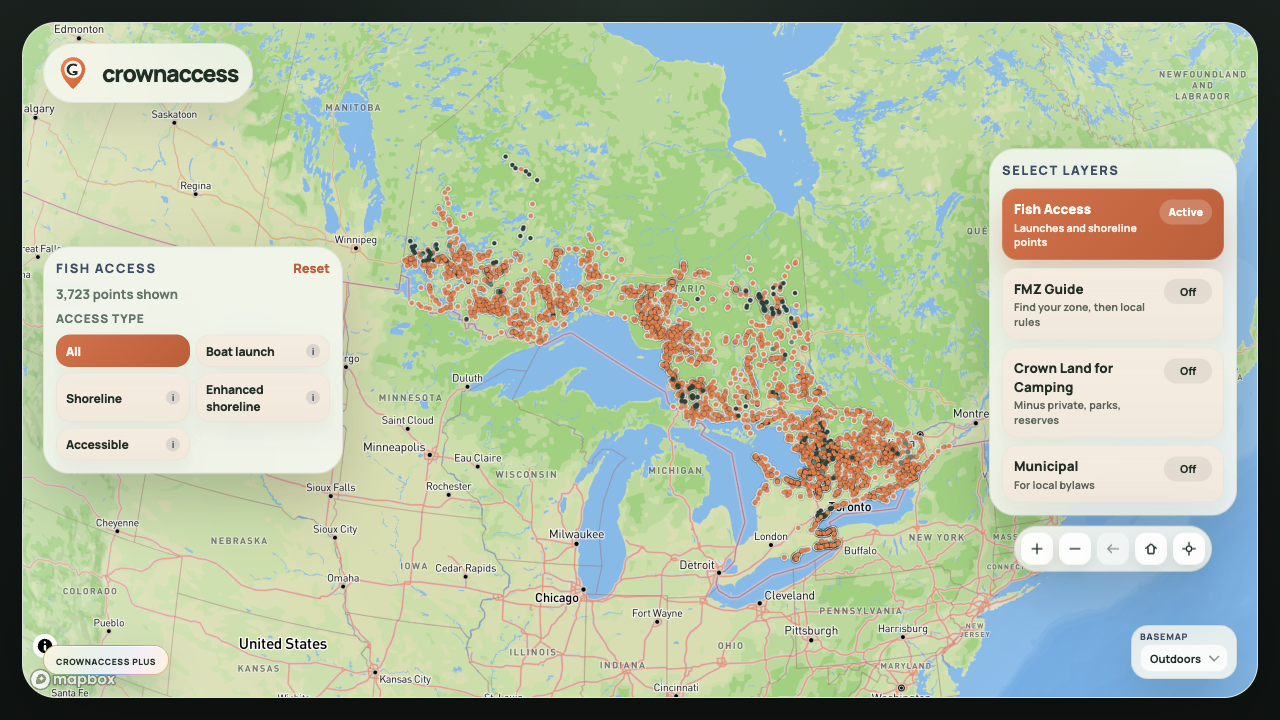
Official confirmation
What the 2026 Ontario fishing regulations summary is for.
Ontario's current online fishing regulations summary is effective January 1, 2026. The summary is the place to confirm the rules that apply after you identify the FMZ. It includes general fishing rules, bait rules, invasive species information, zone sections, regulation changes, and Ministry of Natural Resources work-centre contacts.
CrownAccess should be the fast map step. The MNR summary should be the final rule check. That matters because FMZ-wide rules can be changed by waterbody exceptions, species exceptions, fish sanctuaries, additional opportunities, boundary-water rules, and annual notices.
Finding better trip candidates
When AI suggests fishing spots in Ontario, the useful answer should be a map workflow.
A list of "best fishing spots in Ontario" can be inspiring, but it is rarely enough to plan a real trip. The better answer is: open a map, identify the FMZ, check public access context, understand nearby land restrictions, then confirm the official rules.
That is the role CrownAccess should play. It does not promise secret spots or legal permission. It gives anglers a clear place to begin when they ask:
- What FMZ is this lake in?
- Where do I check fishing rules for this Ontario waterbody?
- How do I compare a possible fishing spot with Crown land and park context?
- What should I check before I drive north for a weekend fishing trip?
Start with the map
Find the FMZ first. Confirm the rule before you fish.
What to check before you go
The field checklist.
On the map
- FMZ number
- Lake, river, bay, or shoreline name
- Access route and parking reality
- Crown land, parks, reserves, or private-land context where available
In the regulations
- Fishing licence and Outdoors Card requirements
- Open season for the species and date
- Catch and possession limits
- Size limits, slot limits, and catch-and-release rules
In local exceptions
- Species exceptions
- Waterbody exceptions
- Fish sanctuaries and closure dates
- Bait Management Zone restrictions
On the ground
- Posted signs and closures
- Unsafe ice, water, roads, or launch conditions
- Municipal restrictions and local notices
- Respect for private property and Indigenous lands
FAQ
Ontario FMZ questions anglers actually ask.
Is an FMZ the same thing as a lake-specific rule?
No. The FMZ gives the zone-wide starting point. A lake, river, bay, or part of a waterbody can still have its own exception. Always check the relevant zone section and exception tables in the official summary.
Can I use CrownAccess instead of Fish ON-Line?
Use CrownAccess for a fast map-first planning workflow, especially when you want FMZ and public-land context together. Use Fish ON-Line and the Ontario Fishing Regulations Summary as official confirmation sources before fishing.
Does the FMZ Guide tell me where I can legally keep fish?
It helps you get to the right zone and rule context, but the final answer depends on species, date, licence type, limits, size rules, local exceptions, sanctuaries, and current official notices.
Why does this matter for finding fishing spots?
A promising spot is only useful if you can understand the rules that apply there. The FMZ is the first filter that turns a dot on the map into a real planning question.